
Key takeaways:
- A link in bio is a marketing asset that could turn social media profile visits into website traffic, leads, and sales.
- Using your link in bio strategically helps guide your audience to specific actions: purchasing a product, reading content, or signing up for your newsletter.
- Keeping your link in bio updated and aligned with your goals ensures it remains effective as your priorities change.
A “link in bio” is a clickable URL placed on your social media profile that directs followers to your intended landing page. As a business owner, the “link in bio” is your gateway for turning profile visits into actions that benefit your business.
Used strategically, this one link can guide your audience to the right pages, whether that’s your latest content, a product page, or a signup form. The way you set it up and manage it plays a big role in how much traffic and engagement you actually get from your social channels.
In this guide, we’ll walk you through setting up your “link in bio,” what to include, and how to use it across different platforms. You’ll also learn how to optimize it over time so it consistently brings in traffic, leads, and sales from your social channels.
Start with a domain that does more.
Every domain comes with a free link-in-bio tool to help you create a branded page, organize your links, and drive traffic from your social profiles—all in one place.

What “link in bio” means
A “link in bio” is a clickable URL placed in the bio section of a social media profile that directs users to another page. It usually appears at the top of a profile and acts as the main external link followers can access.
The phrase became popular on Instagram, where clickable links aren’t allowed in post captions. As a result, creators and businesses began using “link in bio” in their posts to direct users to the link in their bio.
“Link in bio” has evolved into an integral social media strategy in driving traffic and increasing revenue. Brands and influencers use it not only to introduce a product link but also to lead their followers to all their online activities.
How to use your link in bio effectively
To use your link in bio effectively, focus on guiding your audience toward specific actions that align with your goals, whether that’s making a purchase, signing up for a newsletter, or checking out your website. Instead of treating it as a static link, use it as a dynamic focal point that changes based on what you want your audience to do next.
Your link in bio can turn profile visits into meaningful traffic that could be converted into sales. The following strategies show how to use it to support both your content and your business goals.
- Promote your products and services
- Share your latest content
- Showcase campaigns and giveaways
- Grow your email list
- Cross-promote other social channels
Step 1: Promote your products and services
Your link in bio should act as a focused sales path, not just a list of random links. Instead of sending users to a random, generic page, direct them to pages where they can take immediate action.
Think about what you’re actively promoting. If you’re launching a new product or offering a limited-time service, make that the first thing users see when they click your link. This shortens the path from discovery to decision, so users can act on their drive immediately before it fades.
Step 2: Share your latest content
Social posts often give just a preview of your content. Your link in bio should help users continue that journey by leading them to full articles, videos, or other resources.
Keep this section updated to reflect your most recent or most relevant content. If someone discovers you through a post, they should be able to find that exact piece or related content quickly, without having to search for it.
Step 3: Showcase campaigns and giveaways
When you run promotions, your link in bio becomes an important point of contact for all traffic. Your link should lead directly to a dedicated page for the current campaign you’re running.
Make it easy for users to understand what the offer is and what they need to do next. The clearer the path, the more likely people are to participate, especially when the campaign is time-sensitive.
Step 4: Grow your email list
Your link in bio is one of the simplest ways to turn social followers into long-term subscribers. Instead of relying only on platform engagement, you can direct users to a signup page where they can opt in to your newsletter.
Give people a reason to sign up. This could be a discount, a downloadable resource, or early access to updates. A clear value exchange makes it easier for users to take the next step and stay connected beyond social media.
Use an email that matches your brand.
Set up a professional email with your domain and communicate with subscribers using a secure, business-ready inbox.

Step 5: Cross-promote other social channels
Your audience may not follow you on every platform you use. Your link in bio can help bridge that gap by guiding users to your other social profiles.
By making it easy to discover your presence across platforms, you increase your chances of staying visible and building stronger connections. Dedicated tools for managing your social links, such as our Social App (free with every domain purchase), can also help simplify social media management and keep all your channels organized in one place. Over time, this creates more touchpoints where your audience can engage with your content.
How to optimize your link in bio
To optimize your link in bio, focus on improving how it drives clicks, conversions, and measurable results over time. This means prioritizing the right links, guiding users with clear calls to action, and regularly updating your page to guide your audience to the next step.
A well-optimized link in bio evolves with your content, campaigns, and audience behavior. By making small, intentional updates, you can turn it into a reliable channel for your business rather than just a static list of links.
Use these strategies to make your link in bio more effective:
- Prioritize links based on your goal
- Incorporate CTAs that earn clicks
- Match the design to your brand
- Keep links current
- Measure success
Let’s take a closer look at how each of these can help you get better results.
Prioritize links based on your goal
Start by deciding what action matters most for your business right now. Your link in bio should reflect that priority, not try to do everything at once. If your goal is to drive sales, place your product or service pages at the top. If you want to generate leads, highlight your email signup page first. If your focus is content, direct users to your latest blog post, video, or resource.
When your links are aligned with a clear goal, it becomes easier for users to take action. Guide them toward what matters most instead of overwhelming them with choices.
Incorporate CTAs that earn clicks
The way you label your links can influence whether users click or scroll past. Phrases like “Click here” or “Learn more” are becoming ineffective because they are common, vague, and generic. They don’t give users a strong reason to act. Instead, use clear and specific calls to action that tell users exactly what they’ll get.
For example, “Shop new arrivals,” “Get your free guide,” or “Watch the full video” set clear expectations and create intent. When your calls to action (CTAs) are direct and benefit-driven, they encourage your customers to engage.
Match the design to your brand
Your link-in-bio page should feel like a natural extension of your brand, not a separate experience. Use consistent colors, fonts, and imagery to make your page look more polished and intentional.
A cohesive look reinforces recognition, especially for users who are moving between your social profiles and your website.
Keep links current
Your link in bio should reflect what’s relevant right now. Outdated links can confuse users and erode their trust, especially when they lead to expired promotions or outdated content.
Make it a habit to update your links based on your latest campaigns, content, or offers. Even small changes, like rotating your featured link or removing inactive pages, can help keep your link in bio useful and aligned with your current goals.
Measure success
To improve your link in bio over time, you need to understand how people interact with it. Track metrics like click volume for each link, total page views, and click-through rates to see what’s getting attention and what’s being ignored. You can use link-in-bio tools such as Later or similar platforms to access built-in analytics and monitor how your links perform.
You can also use UTM parameters to track where your traffic is coming from and how users behave after clicking your link. For example, adding a simple tag like ?utm_source=instagram&utm_medium=bio helps you see how much traffic comes from your profile. Just make sure you’re not double-tagging links if your tools already apply tracking, as this can affect your data accuracy.
Double tagging happens when the same link is tracked more than once, either by adding UTMs manually and then running it through a tool that adds its own tracking parameters, or by stacking multiple tracking tags on top of each other. This can lead to messy or duplicated data in your analytics, making it harder to tell where your traffic is actually coming from.
By regularly reviewing these insights, you can adjust your links, messaging, and priorities to improve performance over time. As your traffic grows, tools like our Customers App can help you organize and manage customer interactions in one place, making it easier to follow up on leads and turn clicks into actual business outcomes.
How to set up your link in bio
To set up your link in bio, you’ll need a tool that lets you create a dedicated page to house all your important links and connect it to your social media profile. This page acts as a hub where visitors can access your products, content, and signup forms through a single link.
Instead of switching your bio link every time you post, a link-in-bio tool lets you compile all your social and custom links in one place and manage them based on your current goals. Tools like our Link in Bio make this process straightforward, allowing you to build and manage your page alongside your domain and website.
Here’s how to set up and connect your link-in-bio page:
- Choose a link in bio tool
- Choose link bio from the menu
- Build your Link in Bio page
- Add your links
Disclaimer: Steps and menu labels may vary slightly depending on the platform or link‑in‑bio tool you’re using.
Choose a link in bio tool
Before you can set up your link in bio, you’ll need a tool that lets you create and manage a dedicated page for your links. When choosing a tool, look for one that’s easy to use, customizable, and gives you control over how your own links are presented.
For example, Network Solutions’ Link in Bio tool lets you create a branded page, organize your links, and manage everything in one place. The tool is free for every purchase of a custom domain name. So if you already have a domain with us, you can use it right away to create a centralized link-in-bio page and start directing traffic from your social profiles.
Find the perfect domain
Ready to register a domain name? Check domain availability and get started with Network Solutions today.
Choose link bio from the menu
When creating your link in bio with Network Solutions, the next step is to access the Link in Bio feature from your account.
Here are the steps:
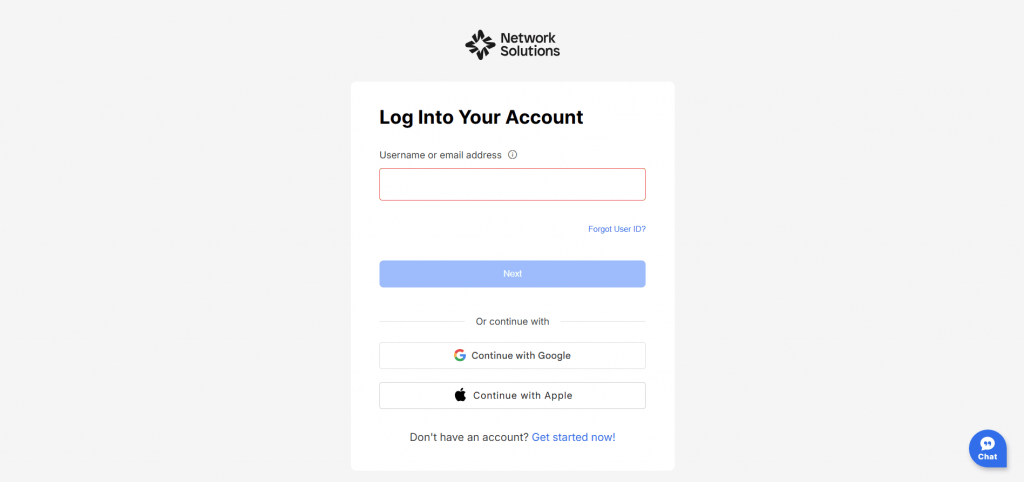
- Start by logging into your Network Solutions account.
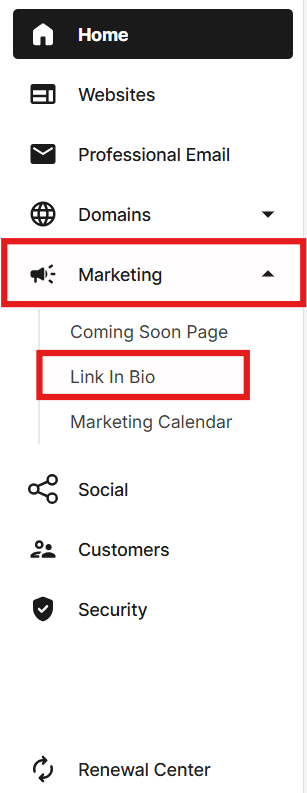
- From your dashboard, go to the Marketing section, then select Link in Bio from the dropdown menu.
- Choose the domain name you want to use and click Create Link in Bio on the right side to begin building your page.
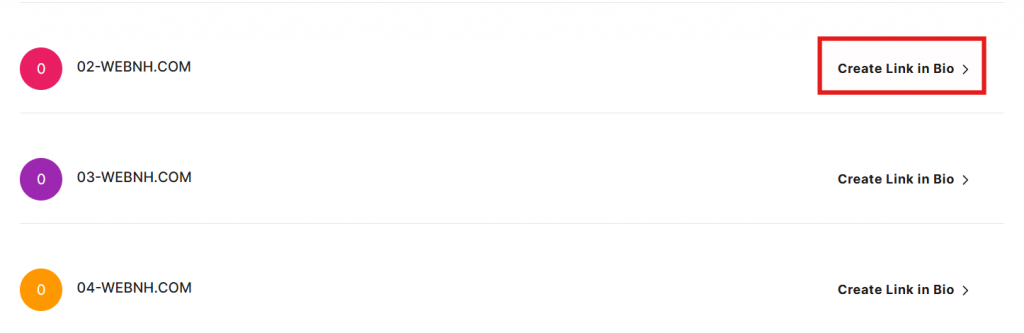
Build your Link in Bio page
After accessing the tool, create your link-in-bio page by setting up its basic details and design.
Start by filling out the required fields, such as your project title or business name, and a short description of your business.
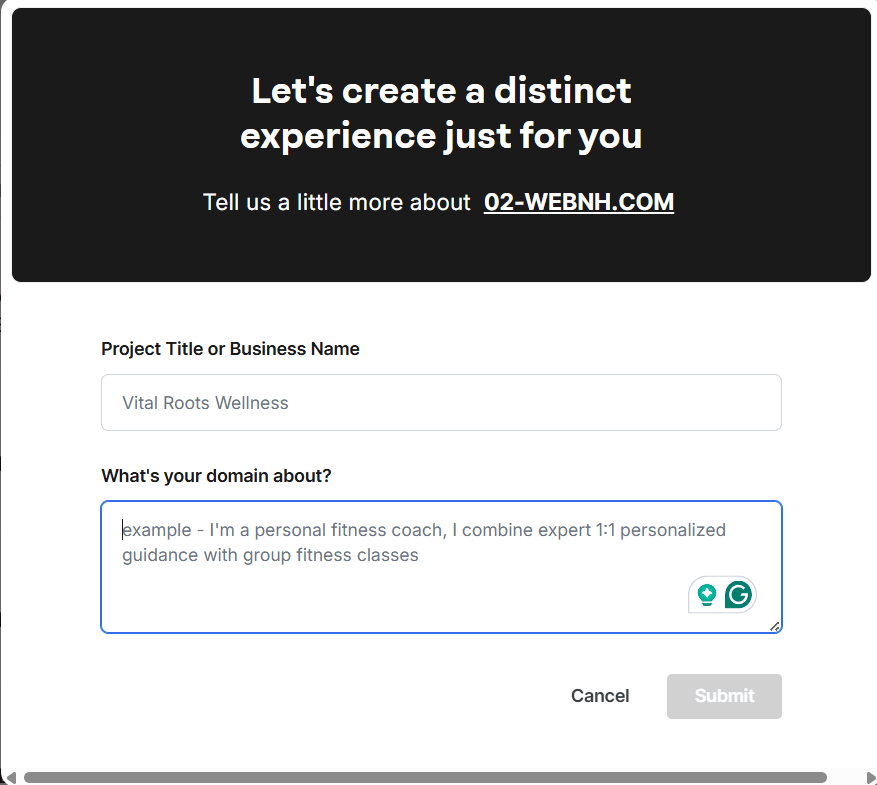
Based on this input, the tool will generate a sample layout that you can use as a starting point.
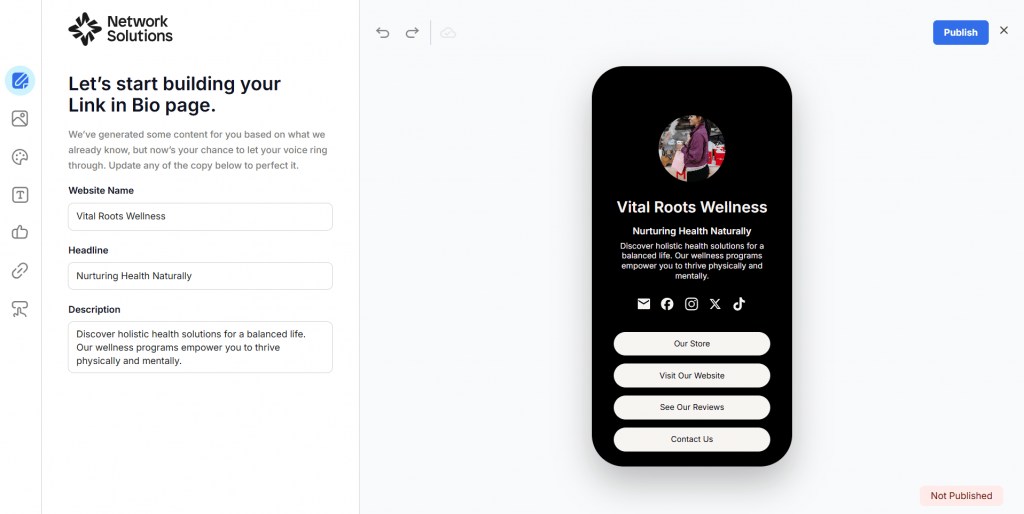
From there, you can customize your page to match your brand. Update your page name, headline, and description to clearly communicate what users can expect. You can also upload an image that fits your brand and adjust its frame style for a more polished look.
To further personalize your page, customize the font color and overall color scheme using hex codes. You can also modify button styles and font styles to match your branding.
Add your links
Once your page design is set, the next step is to add the links you want your audience to visit.
Start by adding existing links to your email and social media profiles so visitors can easily connect with you across platforms.
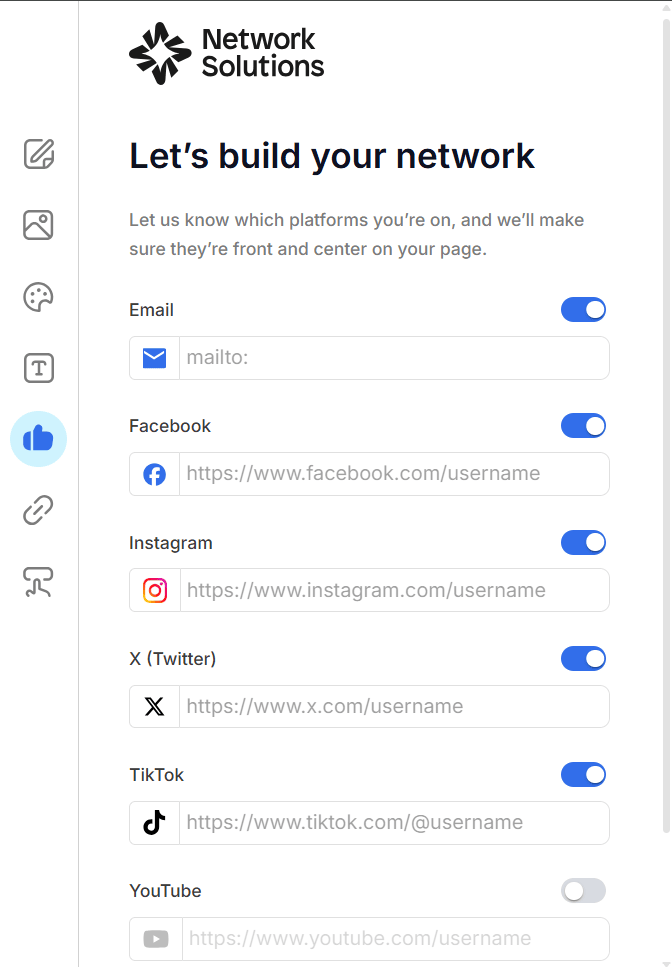
After that, you can add custom links to buttons that direct users to specific destinations, such as product pages, blog posts, landing pages, or your main website. Each button can be labeled and styled to match your page, making it easier for users to understand where each link leads.
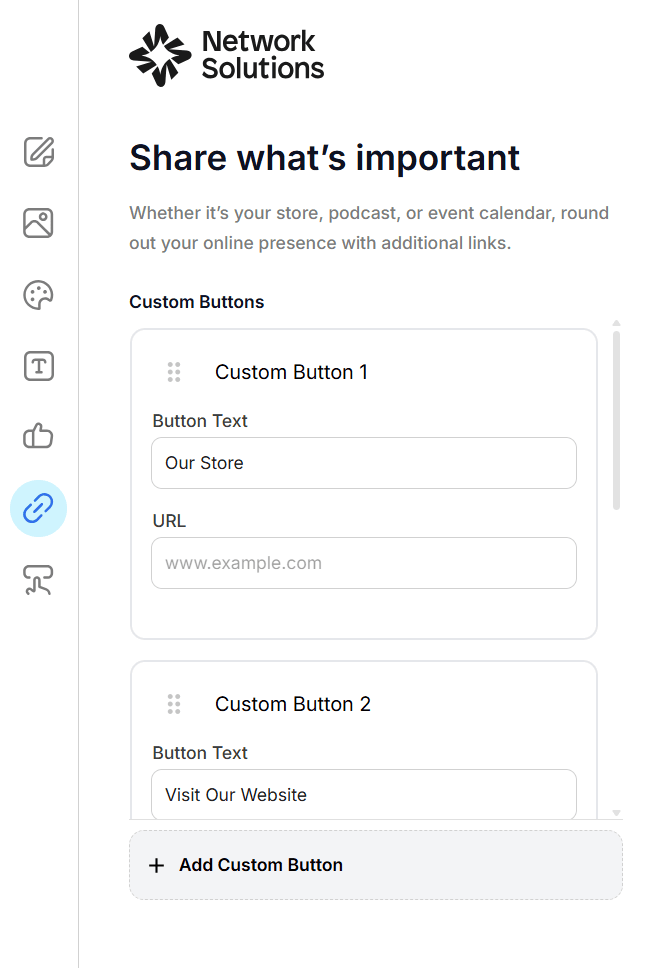
As you add links, make sure each one serves a clear purpose and aligns with your current goals. Organize them in a logical order so users can quickly find what they’re looking for, with your most important links placed at the top.
Once everything is in place, publish your link-in-bio page and copy the generated URL. This URL is the link you’ll add to your social media profiles.
Where to put your link in bio
You can place your link-in-bio page URL in the bio field of your social media profiles. Most social platforms offer a dedicated section where you can add a clickable URL.
While the placement is straightforward, each of the following platforms has slight differences in how to set up the link.
- TikTok
- YouTube and other platforms
To add your link in bio on Instagram, go to your profile and tap Edit Profile. From there, select Links, then tap Add external link. Paste your link-in-bio URL, add a title if needed, and save your changes.
You can now have up to five clickable Instagram bio links, but only the first is immediately visible on your profile. This means your link-in-bio page should be placed at the top so it gets the attention.
TikTok
Go to your profile and tap Edit profile, then look for the Links section. Select Website, paste your link-in-bio URL in the field, and save.
Keep in mind that clickable links are only available for personal accounts with 1,000 or more followers. However, it is available to all business accounts, regardless of follower count.
To switch to a business account, go to your profile, tap the menu (☰) in the top right, then go to Settings and privacy → Account → Switch to Business Account. Follow the prompts to complete the setup.
On your Facebook profile or page, click Edit profile and scroll to the Links section. Select Add new link, paste your URL, and save your changes.
Avoid placing your link only in the bio text, as it is not clickable there. Adding it also to the dedicated links section ensures users can easily access it.
YouTube and other platforms
To add your link in bio on YouTube, click your profile picture and go to YouTube Studio. From there, select Customization, then navigate to the Links section and add your link-in-bio URL. This will appear on your channel banner and About page.
For other platforms, look for fields labeled Website, Links, or Profile link and the like. Adding your link in these sections ensures it stays visible and easy for users to access across different channels.
What’s the ideal link in bio tool?
There’s no one “ideal” tool, as it depends on your needs. However, a great link-in-bio tool should make it easy to organize your links, match your brand, and track how users interact with your page. It should go beyond simply listing URLs and help you guide visitors toward specific actions.
Here are the key features to look for in a link in bio tool:
- Easy setup and management: You can create and update your page quickly without technical skills. A simple interface helps you make changes as your content or priorities evolve.
- Customizable design: The tool should let you adjust colors, fonts, images, and layout to match your brand.
- Flexible link options: Look for tools that let you add both social and custom links.
- Mobile-friendly layout: Since most users will access your link from mobile devices, the page should load quickly and display properly on smaller screens.
- Built-in analytics: Tracking features like clicks, views, and engagement help you understand what’s working. This allows you to improve your setup over time based on real data.
- Integration with your website or domain: Tools that connect with your domain or website help create a more cohesive experience. This can also make your link look more professional and recognizable.
Different tools offer these features in varying levels, depending on how much customization, control, and insight you need.
Here are some link-in-bio tools to consider:
Network Solutions’ Link in Bio
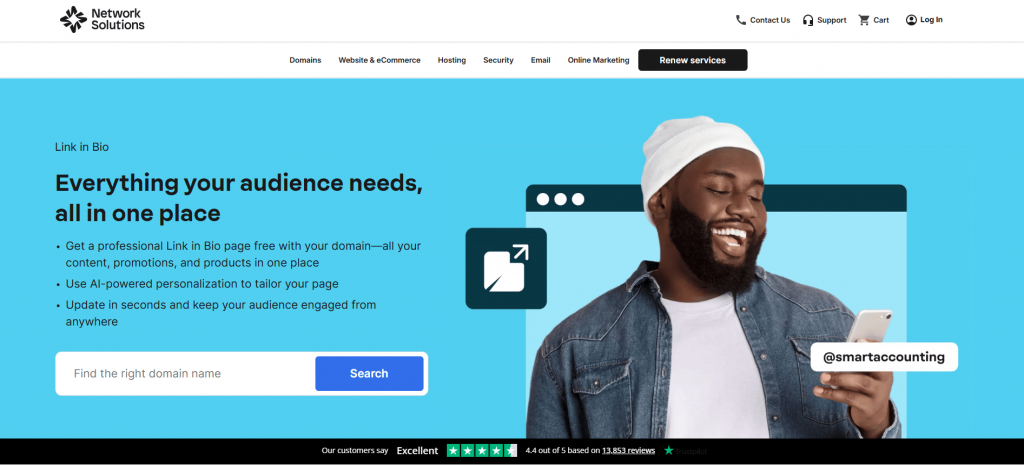
Our Link in Bio tool lets you create a branded page, organize your links, and manage everything alongside your domain and website. It’s designed for businesses that want a more cohesive setup, especially if you already have a domain.
Also, if you purchase a domain from us, you get a free link-in-bio tool, along with other useful tools to help you grow your business. This is a great option if you’re looking to build and manage your online presence in one place.
Get more out of the domain you already own.
Transfer your domain and bring your link-in-bio, website, and tools together into one streamlined setup.

Linktree
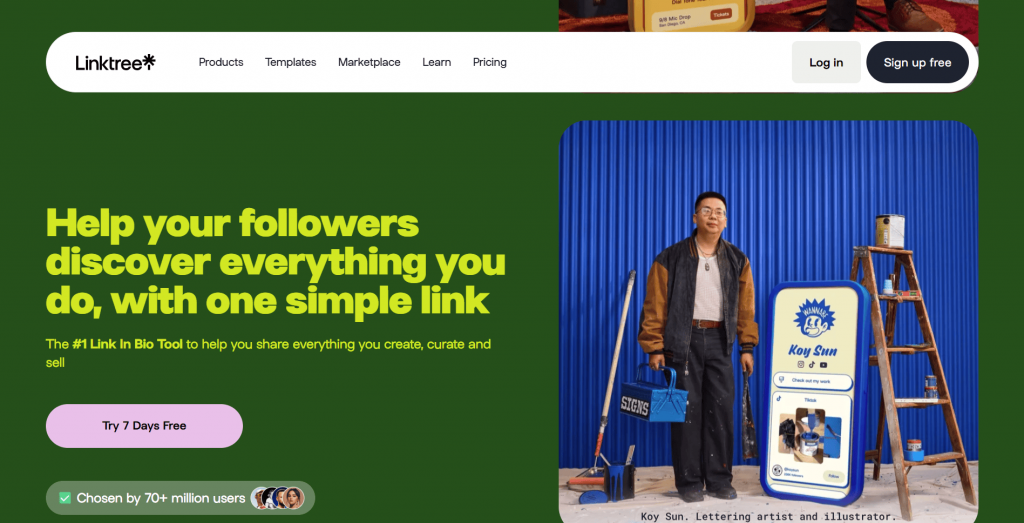
Linktree is one of the most widely used link-in-bio tools. It offers a simple setup process and a variety of templates to help you organize your links quickly. It’s a good option for beginners, though customization and analytics features may be limited on free plans.
Later
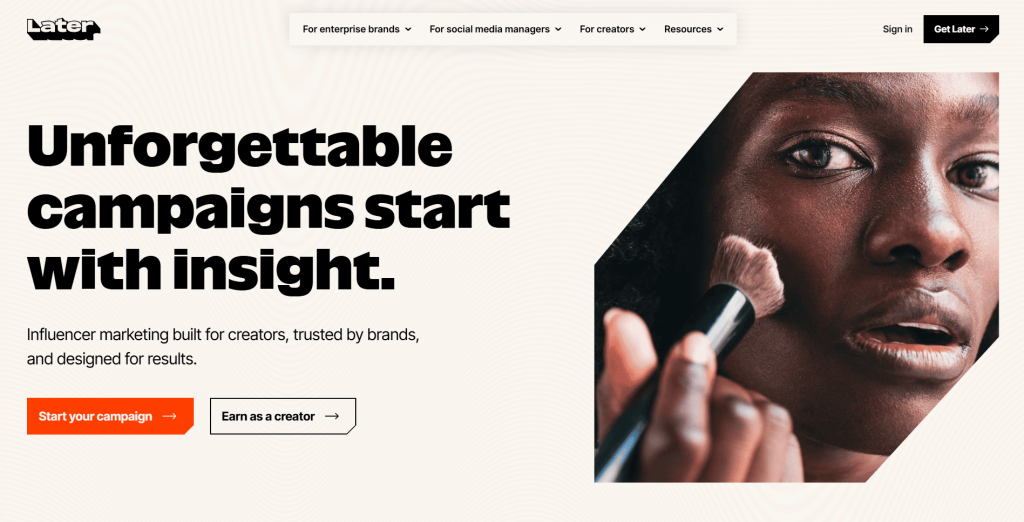
Later’s link-in-bio platform is designed for social media content creators, especially those focused on Instagram. It allows you to connect your posts directly to specific links, making it useful for visually driven content strategies. It also includes analytics to help track engagement.
Carrd
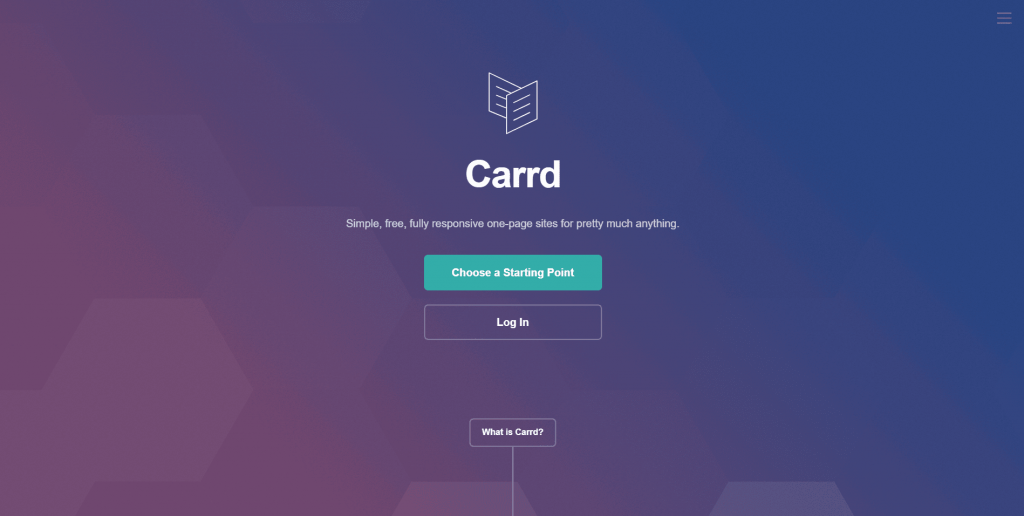
Carrd is a one-page site tool that allows you to build simple, fully customizable landing pages, including link-in-bio pages. It’s ideal if you want more control over layout and design, though it may require a bit more setup compared to the rest of the tools in this list.
Beacons
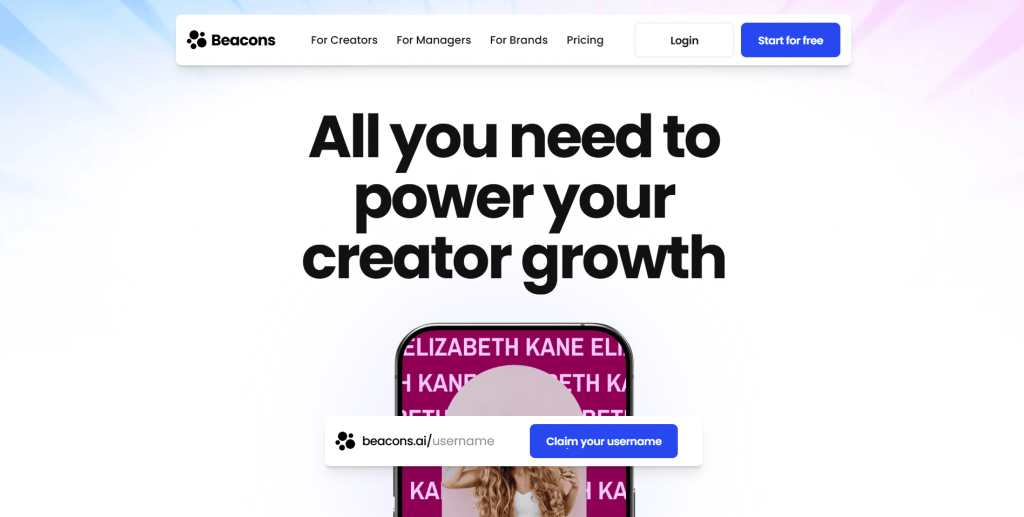
Beacons is a link-in-bio platform built for creators and businesses that want more than just links. It lets you add features such as email capture forms, product links, and media embeds directly to your page. It’s a good option if you want to make your link in bio more interactive.
Lnk.Bio
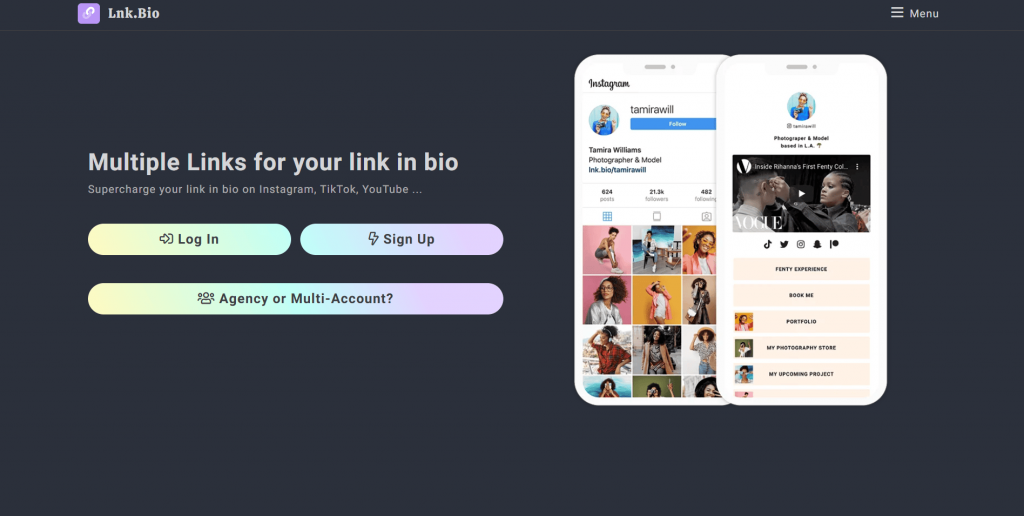
Lnk.Bio is a straightforward tool that focuses on simplicity and ease of use. It lets you quickly create a clean link-in-bio page without requiring an account for basic setup. It’s ideal if you want a no-frills solution that gets your links live with minimal effort.
Frequently asked questions
Your brand name and a short description of it are a great way to start. It should tell people who you are, what you do, and why they should follow you. Besides that, have a link in bio for your products and services.
Although Instagram limits clickable links to the bio section, using a link-in-bio tool like Linktree to create a page that houses all your other relevant links can be helpful.
“Link in Bio” refers to the clickable URL users place in their social media profile’s bio. Since platforms like Instagram and TikTok limit clickable links in posts or captions, users direct their followers to their profile’s bio to access external websites, content, or promotions through this link.
Most social media platforms allow only one clickable link in your bio. However, you can use link aggregation tools like Linktree, Linkin.bio, or Network Solutions’ Link in Bio to create a landing page with multiple links accessible via a single URL.
Many link-in-bio tools offer free basic plans with limited features. Premium plans with advanced features like detailed analytics, custom branding, and enhanced customization are usually available for a monthly or annual fee.
Generally, using link-in-bio tools does not negatively impact your website’s SEO. However, since these tools act as intermediaries, the direct backlink to your site is replaced with a link to the tool’s domain. For SEO benefits, consider using a custom domain for your landing page if the tool allows it.
Maximize the power of “Link In Bio”
A well-optimized link in bio does more than organize your links. It turns casual profile visits into measurable website traffic, email subscribers, and potentially, sales. When used intentionally, it becomes a high-performing marketing asset that supports your growth, not just a static link sitting in your profile.
With the right structure and consistent updates, your link in bio can guide your audience toward meaningful action every time they visit your profile.
If you’re ready to take that next step, we give you the tools to make it happen. Build your link-in-bio page, connect it to your domain, and launch a website or online store from one place. With our Website Builder and e-commerce packages, you can move from social traffic to real results faster, without needing to piece everything together yourself.